
A QR code for your business is a scannable barcode that sends customers straight to a menu, website, payment page, review form, or contact card. With FreeQRCodeGenerator.com you can create one for free in seconds, customize its colors and logo, and download it as a print-ready PNG or SVG, with no sign-up and no expiration.
| Business type | Best QR code use |
|---|---|
| Restaurant or cafe | Menu, Wi-Fi access, Google review link |
| Retail store | Product details, promotions, loyalty sign-up |
| Service business | vCard contact, booking page, WhatsApp chat |
| Events | Tickets, schedules, location maps |
Understanding QR codes
QR codes are everywhere now, printed on menus, displayed on storefronts, embedded in advertising. They're two-dimensional barcodes that pack a surprising amount of information into a simple grid of black and white squares. Scan one with your phone, and it can take you to a website, show you contact information, or trigger any number of actions. What makes them powerful for business is how frictionless they are. Your customer doesn't need to type anything or search. They just point their camera and go.
When someone scans your QR code, their phone recognizes the encoded data and acts on it immediately. That might mean opening a landing page, adding contact details to their phone, or joining a WiFi network. The technology is dead simple from the user's perspective, which is exactly why it works so well.
Creating QR codes for your business
Steps to generate a QR code
- Select your content type: Choose the type of content you want your QR code to link to, a website URL, a PDF download, or your contact details.
- Customize your QR code: Add your logo, change the color scheme to match your brand, and select a dynamic or static QR code as per your need.
- Test and download: Before using your QR code, test it with several QR readers and mobile devices to ensure it works correctly. Once confirmed, download the QR code in a suitable format.
Dynamic vs. Static QR codes
Static QR codes are locked in place. Once you create one, the data inside never changes. Use these when you're confident the destination won't move, your company's main website, a permanent phone number, or your email address. Static codes are also simpler and don't require any backend infrastructure to maintain.
Dynamic QR codes are editable. You can update where they point without changing the code itself. This flexibility matters if you're running time-limited promotions, testing different landing pages, or managing campaigns where the destination shifts. The trade-off is that dynamic codes require server infrastructure and usually cost money.
Where to place QR codes
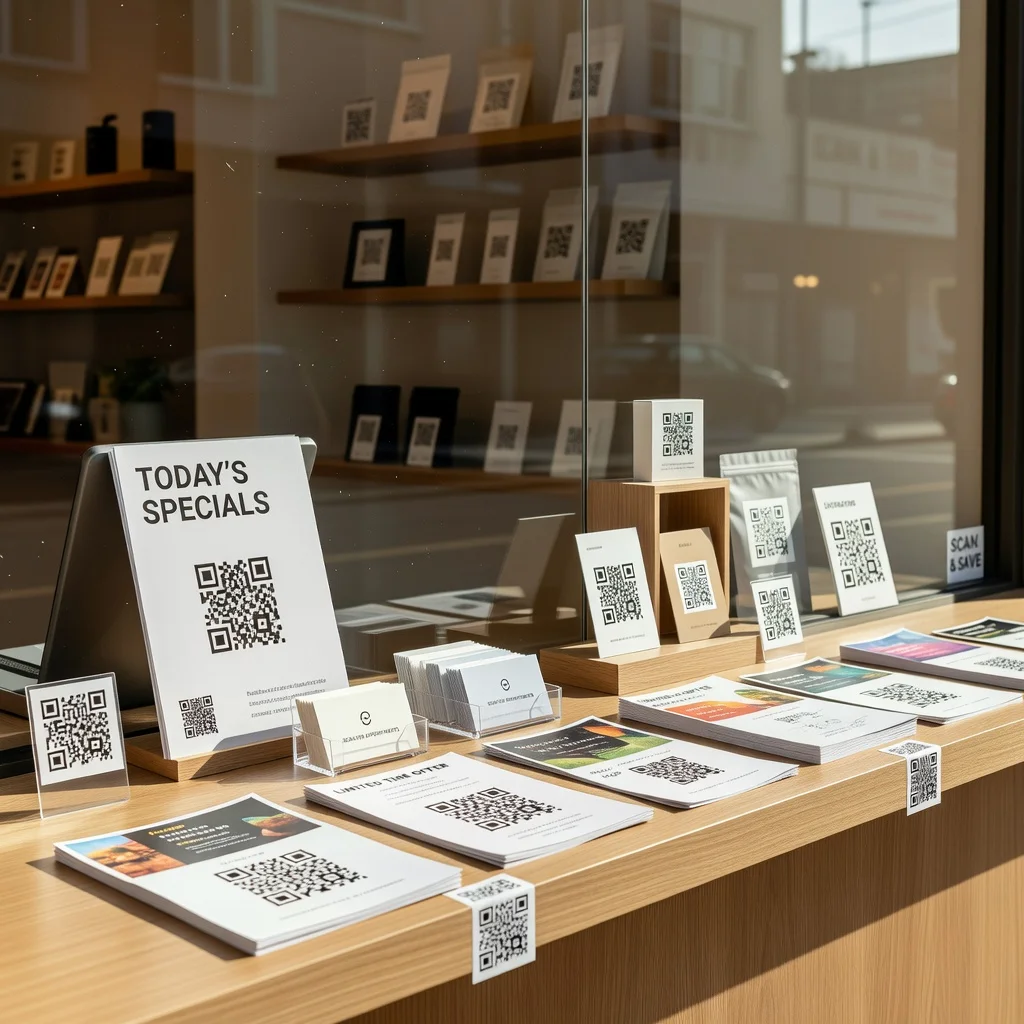
- Marketing materials: Incorporate QR codes into flyers, posters, brochures, and print ads.
- Business cards: Adding a QR code to your business card can direct contacts to your professional profile, website, or portfolio instantly.
- Product packaging: QR codes on packaging can provide users with easy access to instructional videos, after-sale services, and customer feedback forms.
- Physical storefront: Place QR codes at the entrance or within your shop to promote check-ins, offer discounts, or share the day's specials.
- Event displays: During events or exhibitions, QR codes can be used to download presentations, collect leads, and provide detailed product information.
Customizing your QR code design
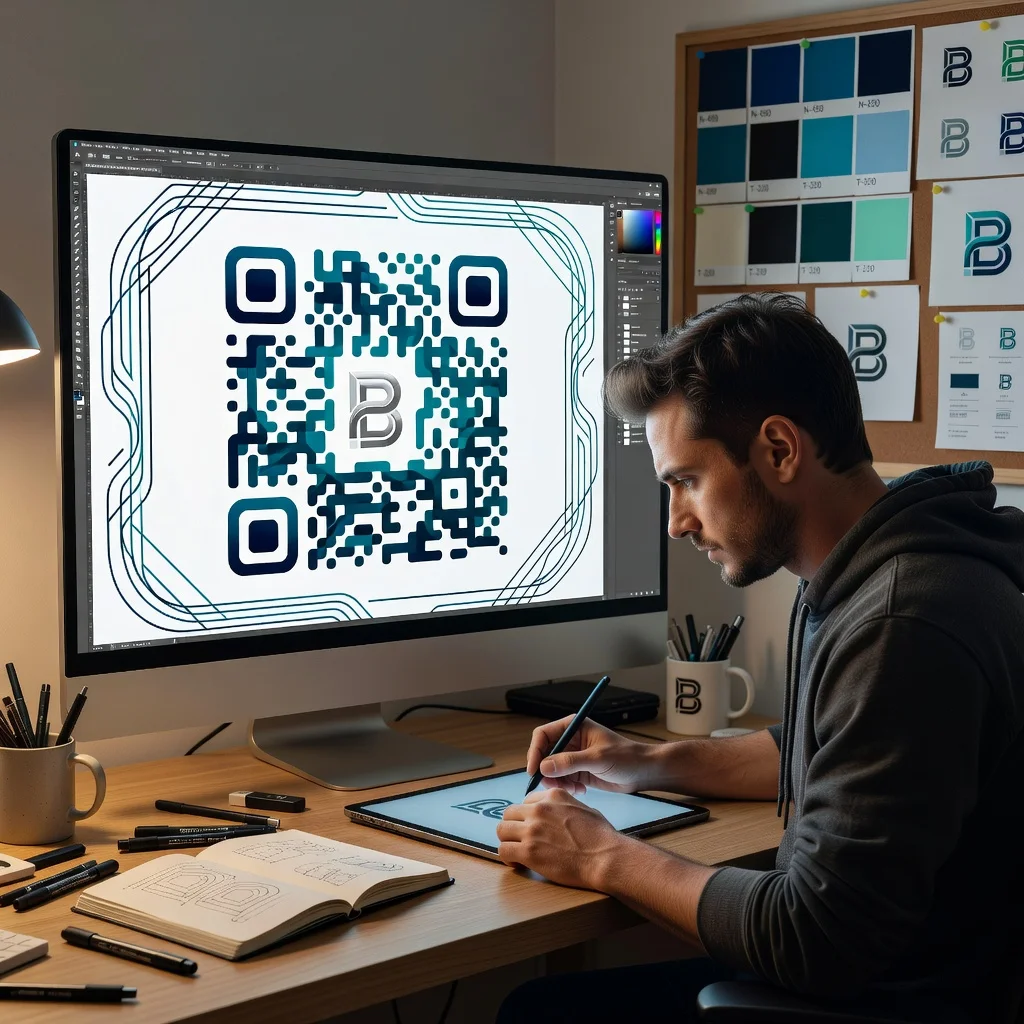
- Adding Logo and brand colors: Integrate your business logo and use brand colors to make your QR codes stand out and be immediately recognizable.
- Design Aesthetics: Opt for a design that complements your overall marketing strategy, including custom shapes or frames.
- Call to Action: Always include a call to action near the QR code, such as "Scan to learn more" or "Scan for a surprise discount."
Tracking and analytics for QR codes

This is where dynamic QR codes prove their worth. Unlike static codes, dynamic codes let you see exactly how often they're scanned, where the scans happen geographically, what devices people use, and when they scan. This data helps you answer important questions: Which marketing materials drive the most traffic? Are people scanning your codes at specific locations? Is one channel outperforming others?
That insight becomes actionable. You can spot which campaigns generate actual engagement, optimize placement based on real performance data, and refine your messaging for better results.
- Identifying popular content and types that resonate with your audience.
- Segmenting your audience based on their interactions for targeted marketing campaigns.
- Optimizing QR code placement based on which locations generate the most scans.
Legal and ethical considerations
Security matters. Don't encode sensitive business information into QR codes, customer data, proprietary information, or confidential details shouldn't live in a code anyone can scan. Be clear about what your code does. If it collects personal information, tell people upfront. Follow data protection laws in your jurisdiction, especially if you're collecting emails or other personal details. Transparency builds trust with your customers.
Future outlook
QR codes are evolving beyond simple links. Augmented reality experiences are becoming feasible, imagine scanning a code on a product box to see a 3D model of what's inside. IoT connectivity is another direction; scanning a code on a device could automatically connect it to your home network. The fundamental simplicity of QR codes means they'll probably stay relevant as new uses emerge.
Conclusion
QR codes work because they eliminate friction between a customer's intent and the action. They're not trendy or revolutionary, they're practical tools that solve real problems. Whether you're trying to collect leads, drive foot traffic, share contact details, or track marketing performance, QR codes offer a straightforward approach. The key is thinking strategically about placement, design, and what you're actually trying to accomplish.
Frequently asked questions
Is it free to create a QR code for my business?
Yes. FreeQRCodeGenerator.com creates unlimited static QR codes for free, with no account, no watermark, and no expiration, and lets you download them as PNG or SVG.
What is the best QR code for a small business?
A static QR code linking to your website, menu, or contact details works for most small businesses. If you need to change the destination later or track scans, a dynamic QR code is the better choice.
Can I add my logo and brand colors to a business QR code?
Yes. You can set custom foreground and background colors and embed your logo in the center while keeping the code scannable.
Do business QR codes expire?
Static QR codes never expire. They encode the information directly, so they keep working for as long as the page they point to stays live.