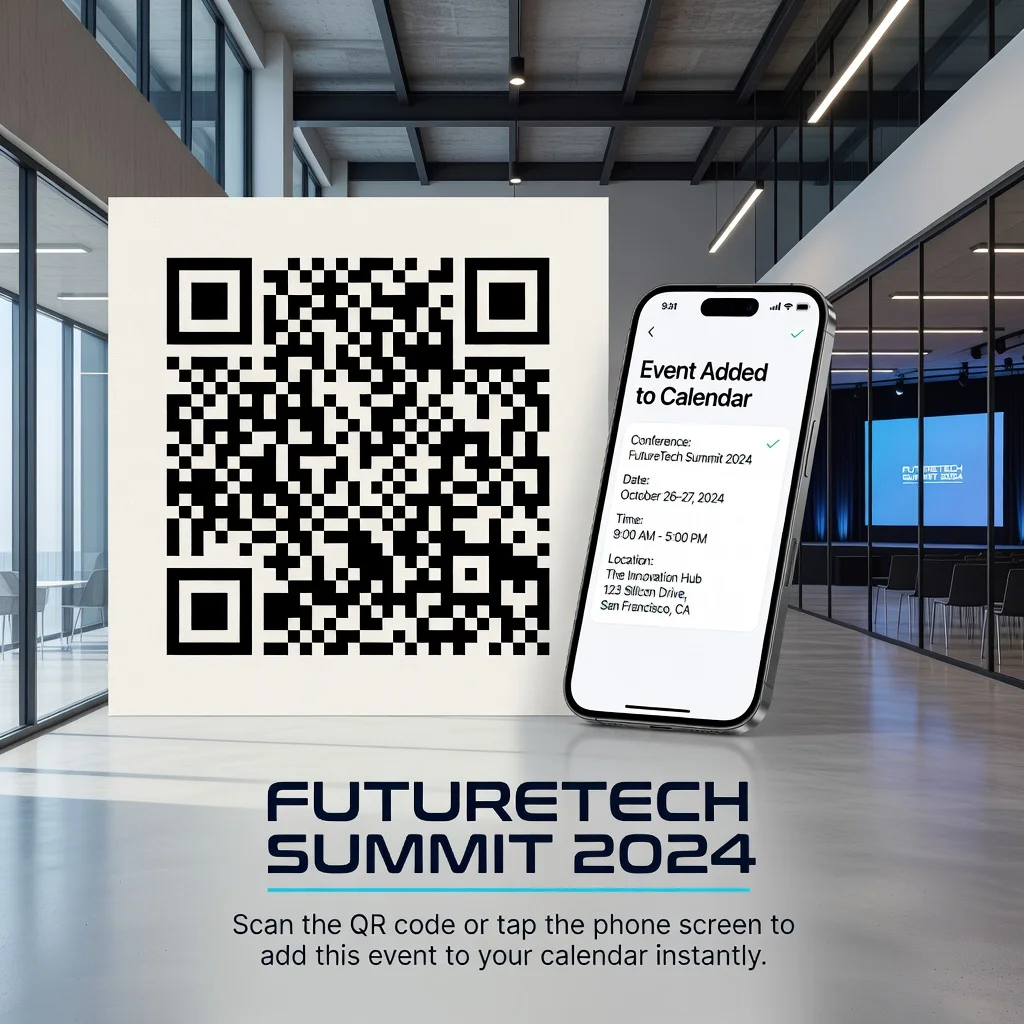
Event QR code generator: Add events to calendar with one scan
How many events have you missed because they slipped off your radar? You meant to add that conference to your calendar, but then got distracted. Or you scanned through an email invitation and lost the details. Event QR codes fix this friction. A single scan drops the whole event, date, time, location, full description, straight into someone's calendar app. They don't have to type anything, hunt for details, or second-guess themselves.
If you're organizing a conference, hosting a webinar, running a meetup, or planning a wedding, this is about making attendance effortless for people who actually want to be there.
How event QR codes work
Event QR codes use the iCalendar (ICS) format, which every major calendar app understands. Someone scans the code, their calendar app opens automatically, and all the event details are already pre-filled. They tap once and it lands in their calendar, synced across their phone, tablet, and desktop. They'll get reminders automatically, no extra work needed.
Information encoded in event QR codes
You can pack a lot into an event code: event name, exact start and end times, location with a full address, a detailed description, your contact info, and a link for more details. The more specific you are, the better. People show up more prepared when they actually know what to expect.
Key advantages
- Reduces No-Shows: Calendar reminders hit differently than email reminders. People actually see them
- Zero Friction: One scan instead of copying text, switching apps, and manually entering data
- Works Everywhere: Apple Calendar, Google Calendar, Outlook, it all works the same way
- Automatic Syncing: Add to your phone and it appears on your laptop automatically
- Built-in Reminders: People get notifications before the event even starts
- Looks Professional: Shows you've thought through the attendee experience
- Easy to Share: Works in emails, on websites, printed flyers, social media, anywhere
Perfect event types
Conference organizers use these to lock sessions onto attendees' calendars. Webinar hosts see dramatically better attendance rates. Meetup organizers use them to prevent the "I forgot it was today" problem. Wedding planners put them on save-the-dates. Training programs use them so participants actually show up prepared. Think of any event where attendance matters, and a QR code helps.
Creating your event QR code
Start with your event name, make it clear and specific, not vague. Set your start and end times precisely (use 24-hour format to avoid confusion). Add the full address for physical events. Write a description that covers what the event is about, what people should bring, parking info if relevant, and who to contact with questions. A couple sentences goes a long way. Then generate and test it on your actual phone before you distribute it.
Crafting effective event descriptions
Keep descriptions practical and focused. Say what the event is, what people will experience or learn, what they should bring, whether there's a dress code, parking details, and how to reach you if they have questions. Two to three sentences beats a wall of text. People scan calendar entries quickly, make it count.
Placement strategies
Put your QR code everywhere people see event information: email invites, signup pages, event websites, social posts, printed materials. For in-person events, display it at the entrance for people who want to add it to their calendar on the spot. The easier you make it, the more people scan it.
Integration with event marketing
Pair your code with a clear call to action like "Scan to Add to Your Calendar." Make sure the code is big enough to scan easily. Track which channels drive scans if your event platform supports it. People adding events to their calendar often shows stronger intent than just registering via a form.
Multi-event series
Running a monthly meetup? Create separate codes for each month with names like "Tech Meetup, April" and "Tech Meetup, May." Don't use the same code for all events. Specificity prevents calendar confusion and people adding the wrong dates.
Timezone considerations
For events with remote or international attendees, include the timezone right in your event details: "2:00 PM EST" or "4:30 PM Pacific." Most calendar apps let people adjust timezones when they add the event, but spelling it out prevents mistakes. If your generator supports timezone selection, use it.
Calendar app compatibility
The iCalendar standard works with Apple Calendar, Google Calendar, Outlook, and virtually every other calendar app out there. The compatibility is reliable, which is why QR codes are so practical for event management.
Reminder features
Once people add your event to their calendar, they get reminders automatically based on their own settings. Some people get pinged 15 minutes before, others see a daily preview. These automatic reminders drive better attendance than you'd get from email alone.
Virtual and hybrid events
For online events, include the Zoom or Teams link in your event description. For hybrid events, put both the physical address and the virtual link. That way attendees have everything they need in one place, whether they're showing up in person or logging in remotely.
Post-event updates
If something changes, time, location, cancellation, tell people through your event platform immediately. For QR codes, you can generate updated codes and share them via email or social media. The calendar entries people already added won't change automatically, but direct communication keeps everyone in sync.
Analytics and tracking
Monitor how many people add your events to their calendar if your event platform tracks that. Compare attendance rates for events promoted with QR codes against those without. You'll usually see better attendance when people add events to their calendar instead of just registering on your website.
Accessibility benefits
Event QR codes help people with disabilities access event info more easily. Vision-impaired attendees can have details read aloud. People with memory challenges benefit from having events automatically in their calendar system. International attendees can automatically calculate correct times in their timezone. Calendar reminders help anyone with busy schedules. These features make events genuinely more inclusive.
Ready to create your event QR code? Use our free generator →