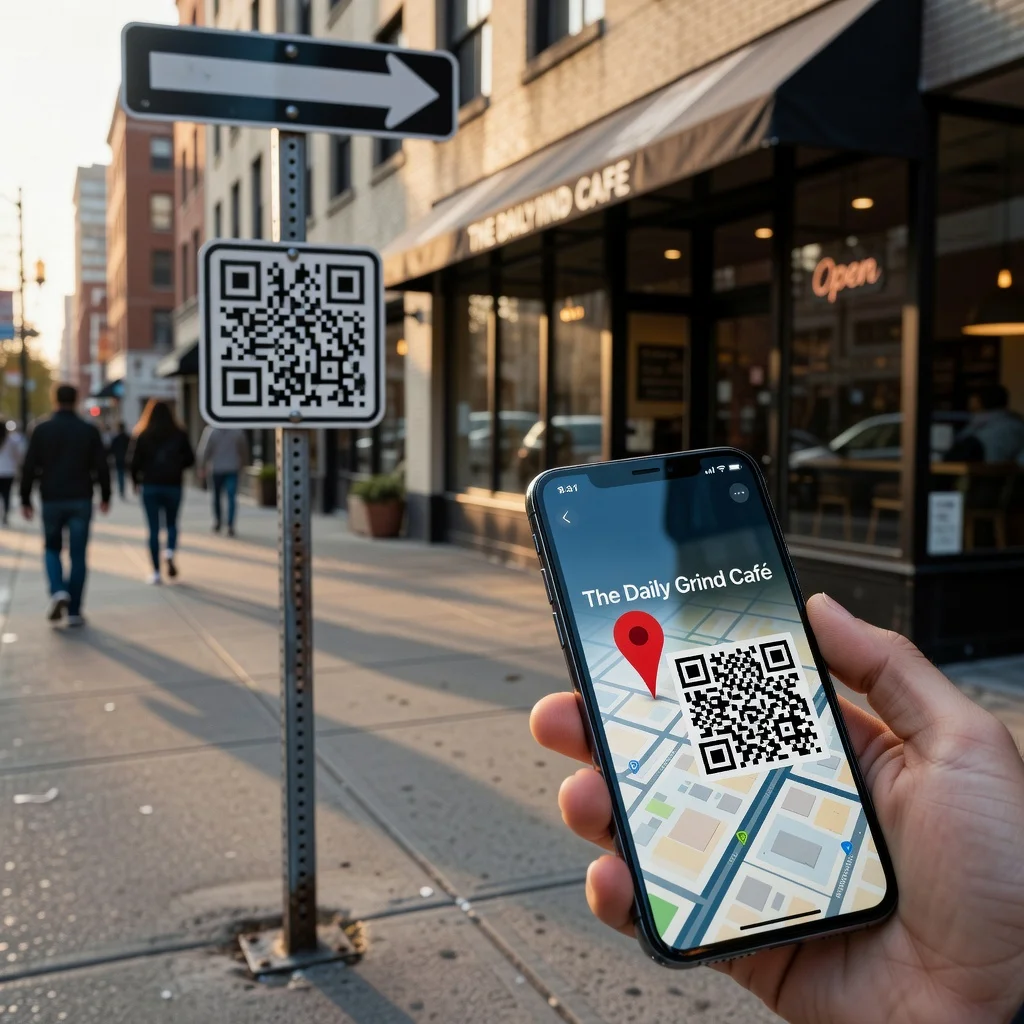
Location QR code generator: Share any address instantly
Getting lost is frustrating, and providing directions in writing is cumbersome. Location QR codes solve both problems instantly. When people scan a location QR code, their maps app opens with your business address pre-filled and ready to navigate. It's the simplest way to ensure customers find you without confusion.
For any location-based business, restaurants, retail stores, service providers, offices, location QR codes are incredibly valuable.
How location QR codes work
Location QR codes encode your business address or coordinates in a format that opens users' default maps application. When scanned, the maps app launches with your location pinpointed. Users can immediately see directions from their current location, estimated travel time, and navigation options. Some maps apps provide alternate routes, traffic conditions, and public transit options too.
Key benefits
- Navigation Made Simple: No address copying, no typos, no confusion
- Increased Foot Traffic: Easier navigation means more customers actually reach you
- Reduced Support Calls: Fewer "where are you located?" calls
- Professional Appearance: Shows tech-forward thinking
- Works Offline: Maps cached on devices work even without internet
- Multi-Platform: Works on iOS (Apple Maps), Android (Google Maps), and Windows devices
- Travel Time Estimates: Customers know exactly how long travel will take
Ideal applications
Location QR codes shine in multiple contexts. Display them on business cards, signage, business directories, promotional materials, and storefronts. Include them in email signatures, website footers, and social media bios. Real estate agents use them on property listings. Event organizers use them for venue locations. Delivery services use them for pickup locations. Anywhere people need to find your physical address benefits from location QR codes.
Creating your location QR code
Creating a location QR code is straightforward. Enter your business name. Enter your full address including street, city, state/province, and postal code. Alternatively, enter latitude and longitude coordinates for precise location. Generate the code. Test it on multiple devices and maps apps. Download and display the code.
Address precision matters
Ensure your address is exact and complete. Include street number, street name, apartment or suite number if applicable, city, state or province, country, and postal code. Incomplete addresses might map to the general area rather than your exact location. For multi-location businesses, create separate codes for each location with clearly labeled codes.
Testing across platforms
Test your location QR code on both iPhone and Android devices. Apple Maps opens on iPhones, Google Maps on many Android devices. The location should pin correctly in both apps. Check that traffic conditions, transit options, and directions work properly. Confirm estimated travel times display accurately.
Placement strategies
Display location QR codes where people need navigation help. Near storefronts, in marketing materials, on business cards, at event venues, and on website contact pages all work well. For physical locations, place the code where people can scan while approaching your business, door signage, window displays, and parking lot signs are ideal.
Design considerations
Make your location QR code visually prominent. Use high contrast. Size it at least 1.5 inches square for reliable scanning. Add a label like "Tap for Directions" or "Scan for GPS Directions" so people understand the code's purpose. Include your business name if space allows.
International usage
Location QR codes work globally. Maps apps in every country recognize location codes. Whether your customers navigate using Google Maps, Apple Maps, Yandex, or local apps, the location will open correctly. This universal compatibility makes location codes ideal for businesses serving international customers.
Parking and directions help
Maps apps show not just your location but also nearby parking, traffic conditions, and public transportation access. This comprehensive information helps customers plan their arrival. In cities where parking is challenging, maps apps might suggest paid parking options or transit alternatives. Your location code gives customers all this information instantly.
Multi-location businesses
If you operate multiple locations, create separate codes for each. Label them clearly: "San Francisco Location," "Los Angeles Location," etc. Consider placing all codes near each other so customers can select the location most convenient for them. This approach works well for retail chains, dental offices, fitness studios, and other multi-location services.
Combining with address and phone
Best practice is displaying location, phone, and address information together. Include the printed address alongside the location QR code. Include the phone number adjacent to a phone QR code. This combination serves different preferences: some people scan, others type addresses or save them elsewhere.
Updates and changes
If you relocate, generate a new location QR code with the new address. Update all printed materials and digital touchpoints with the new code. Leave the old code in place temporarily with a note directing people to the new location to handle any remaining outdated materials.
Analytics opportunities
While QR codes themselves don't provide analytics, you can track effectiveness by monitoring foot traffic during times when you've prominently displayed the code. Pay attention to navigation app visits to your location. Some business location services provide analytics on how many people viewed your location on maps.
Accessibility considerations
Location QR codes provide accessibility benefits. Customers who struggle with addresses can navigate without typing. People with vision impairments can use maps' audio navigation rather than reading directions. People unfamiliar with your area can receive turn-by-turn directions. These accessibility benefits make location codes valuable for inclusive customer service.
Ready to create your location QR code? Use our free generator →