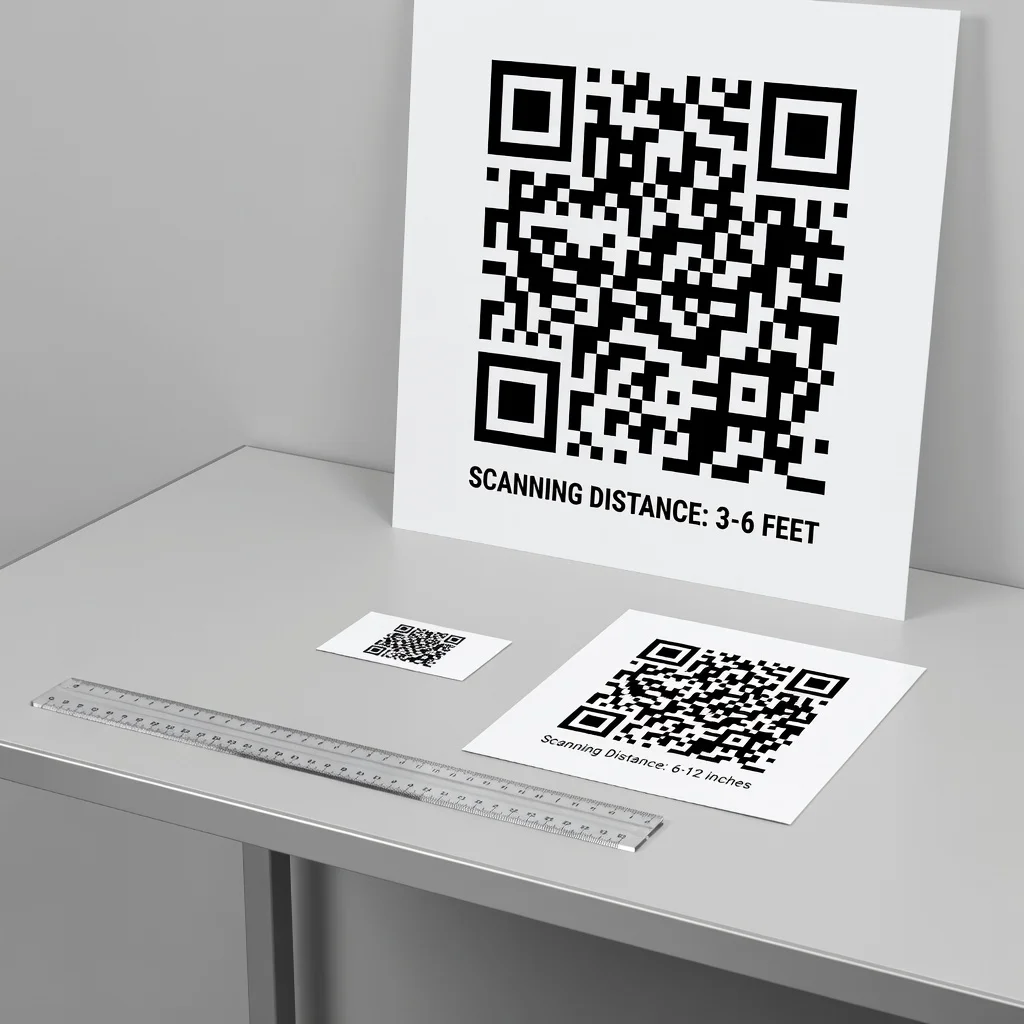
The complete QR code sizing guide
QR code size is one of those things that seems simple until you actually have to decide it, and then it turns out to matter a lot. Too small and your code is practically un-scannable. Too large and it dominates your design or takes up space you don't have. The size also depends on where the code lives, a code on a billboard needs to be bigger than a code on a business card. Understanding proper sizing ensures your codes work in real-world conditions.
Understanding module size
QR codes are built from individual squares called modules. The size of each module is the building block of your overall code size. When you create a QR code at a specific pixel dimension (like 200×200 pixels), you're defining how large each module will be. The standard minimum module size is 1 millimeter, which is approximately 2.83 pixels at screen resolution (72 DPI). For print, professional standards are 300 DPI minimum. At 300 DPI, 1 millimeter is about 11-12 pixels. This is important because when you scale your code for print, you need to maintain sufficient module size for reliable scanning.
Practical QR code sizing
- Very Small (4mm × 4mm / 0.16" × 0.16"): Absolute minimum. Business card, tiny stickers, label codes. Scannable but requires close-up phone placement. Not recommended for casual scanning situations.
- Small (1 inch × 1 inch / 2.54cm): Standard for printed documents, packaging, posters. Easy to scan. This size is reliable for most everyday uses.
- Medium (2-3 inches / 5-7.5cm): Larger posters, vehicle windows, promotional signage. Designed to be scannable from several feet away.
- Large (4+ inches / 10cm+): Billboards, wall signage, outdoor displays. Scannable from significant distances.
The three-to-one rule
A useful guideline for QR code sizing is the "three-to-one rule": the scanning distance should be roughly three times the width of the QR code. A 1-inch code should be scannable from about 3 feet away. A 2-inch code works from about 6 feet. A 4-inch code works from about 12 feet away. This rule isn't absolute, better lighting and higher-resolution cameras can exceed it, and poor conditions might fall short. But it's a useful starting point for sizing. If you want your code scannable from across a room, make sure it's proportionally large enough.
Dpi considerations for print materials
When printing QR codes, resolution matters significantly. For professional printing, maintain 300 DPI minimum. At lower resolutions, modules can become blurry or pixelated, which impairs scannability. This is why you should always download QR codes at high resolution before printing rather than using on-screen screenshots or low-res versions. The difference between a crisp, scannable code and a blurry failure-to-scan is often whether it was properly exported at print resolution.
Scaling QR codes: What actually happens
Scaling a PNG (Raster) Code: If you enlarge a PNG QR code beyond its original resolution, it becomes pixelated and scanning reliability decreases. A 200×200-pixel PNG enlarged to 4 inches looks fuzzy and scans poorly. To avoid this, download at the size you need from the start, or use a vector format.
Scaling an SVG (Vector) Code: SVG codes scale infinitely without quality loss. The code remains crisp at any size because it's defined mathematically rather than as pixels. This is why vector is superior for print applications where you might need different sizes.
Minimum readable size by application
Business Card (3.5" × 2"): Minimum 0.75" × 0.75" (about 20mm). This is tight but scannable on a card-sized space. Smaller than 0.5" and you're pushing it.
Product Packaging: Depends on package size, but typically 1" × 1" or larger. Small product packaging might use 0.75". Retail packages use 1-2 inches.
Printed Poster (11" × 17"): Minimum 1.5" × 1.5" for easy scanning. Larger posters can use 2-3 inches without wasting space.
Promotional Material (Flyer, Brochure): 1" × 1" is standard and reliable for these applications.
Outdoor Signage: Depends on viewing distance. For signage visible from 10 feet, use 4-6 inches. For signage visible from a parking lot, consider 12+ inches.
Code complexity affects size
A longer URL creates a more complex code than a short URL. A full vCard creates a more complex code than simple text. This affects the version level of the code (QR codes come in versions 1-40, with version 1 being smallest). You can't control which version is used, it's determined automatically based on your data. But you should be aware that longer data results in larger codes. This is why URL shorteners exist, a shortened URL creates a smaller, simpler code than the original long URL. If you're concerned about code size, consider using a shortener.
Aspect ratio: Codes are square (mostly)
Standard QR codes are square: 21×21 modules, 25×25, 29×29, etc. You cannot create rectangular QR codes. If you need to fit a code into a rectangular space, you have two options: make the code smaller and leave space around it, or use rectangular encoding standards (like Micro QR for tiny applications). For most purposes, standard square codes are what you'll use.
Error correction impact on size
Higher error correction levels make codes larger because they add redundancy. A Level H code (30% error recovery) will be one version size larger than the same data at Level L (7% error recovery). If size is a constraint, reducing error correction level reduces code size, but accept the trade-off in durability. This is rarely a good compromise unless you're dealing with genuinely extreme space constraints.
Testing your code size
Before Printing: Print a test version of your code at the intended final size. Scan it from the expected viewing distance using multiple phones. Does it work reliably? If not, enlarge it.
In the Field: After deployment, occasionally scan your codes under real-world conditions. If you notice scanning difficulty, increase the size in future materials.
Get Feedback: If users are having trouble scanning your codes, the size is likely too small for the environment they're in.
Special considerations: Logos and borders
A logo placed in the center of a QR code takes up space. The code needs to be large enough that the logo doesn't break scannability. As a rule, if you're adding a logo, size the code at least 20-25% larger than you would without one. This gives you enough margin that the logo obstruction doesn't cause scanning failures.
Conclusion
QR code sizing is straightforward: make it large enough to scan reliably from the distance people will scan it. The three-to-one rule is a useful guideline. For most standard applications, 1" × 1" is reliable. For smaller spaces like business cards, 0.75" × 0.75" is the minimum. For outdoor or distance scanning, go larger. And when in doubt, test before committing to a full print run.
Try it now at FreeQRCodeGenerator.com →