
QR code for audio and mp3: Share music and podcasts instantly
Musicians, podcasters, and educators face the same problem: people ask where to listen to their content, and they end up texting Spotify links or asking people to search for them on Apple Podcasts. A QR code skips all that. Someone scans it and goes straight to your music, podcast, or audiobook, no searching, no typing.
Music distribution and artist promotion
Independent musicians use QR codes to direct fans to their music on Spotify, Apple Music, or their own website. A code on a poster, merchandise, or business card eliminates the guessing game of "What's your name again?" Fans scan and listen right away. You can also create different codes for different songs, allowing fans to discover specific tracks.
Podcast and audiobook links
Podcasters often include QR codes in show notes or printed materials. A listener sees a QR code in a magazine ad, scans it, and subscribes to the podcast without manually searching. Audiobook publishers and narrators use the same approach, code on the book cover or in promotional materials links straight to the audio version.
Educational audio content
Teachers and course creators embed QR codes in workbooks and lesson plans. Students scan and listen to pronunciation guides, lectures, or language lessons. No need to email files, students just point their phone at the code.
Voice message and personal audio
Some people use QR codes to share personal voice messages or audio recordings. A wedding invitation might have a QR code linking to the couple's message or a song that's meaningful to them. A greeting card could link to a personalized audio message from a friend who's far away.
Promotional audio clips
Businesses use audio QR codes to share sample tracks, product demonstrations (like tools or equipment sounds), or customer testimonials. A furniture store might include a QR code in a catalog that plays a customer review when scanned.
Live event integration
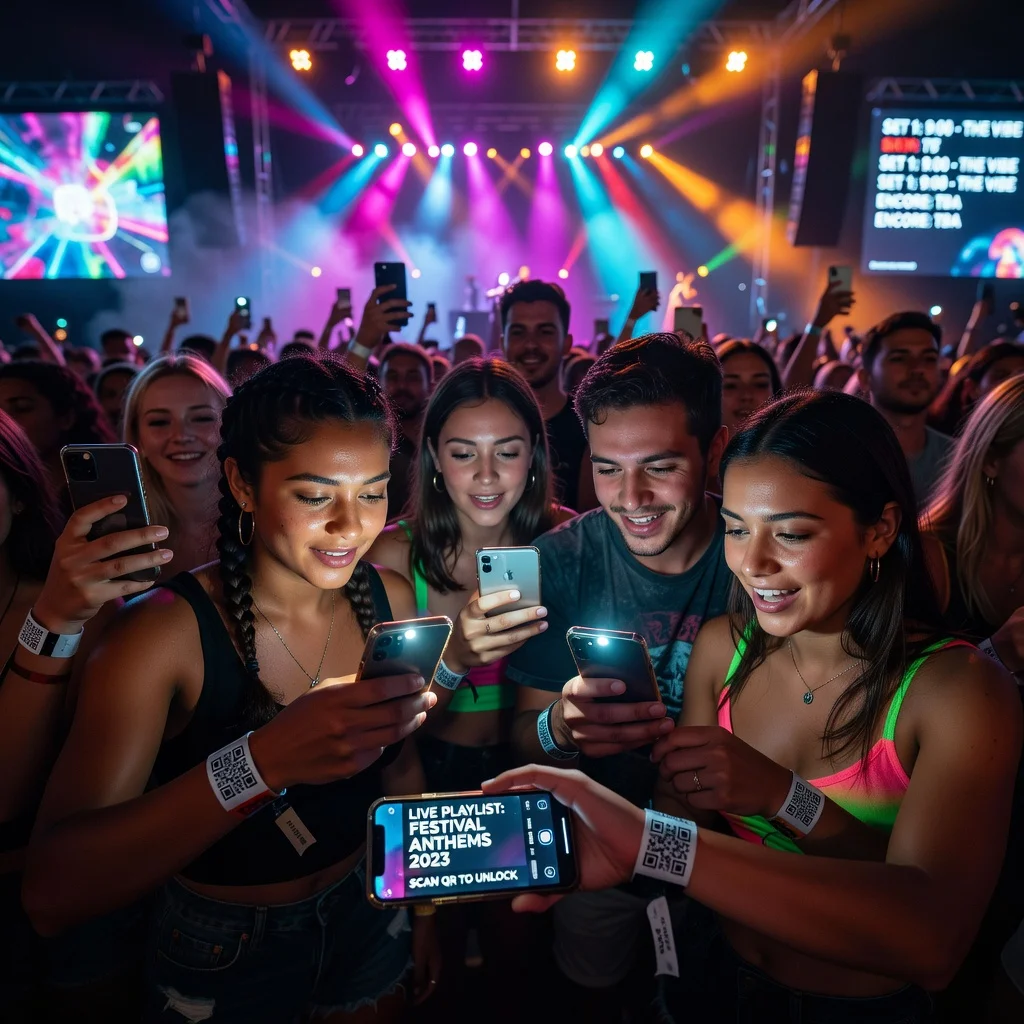
At concerts, DJ events, or music festivals, QR codes link to a setlist or playlist. Attendees can follow along with the music or save tracks they heard for the first time that night.
Audiobook and narration services
Narrators and voice actors use QR codes in portfolios and sample packages. Potential clients scan to hear a voice demo without downloading anything. Authors promoting audiobook versions include codes that link directly to the audio on their preferred platform.
How to create an audio QR code
- Get your audio hosted on a platform (Spotify, Apple Podcasts, YouTube, or your own website)
- Copy the direct link to that content
- Paste the link into a QR code generator
- Download and print the code, it works immediately
Tips for audio QR codes
- Test the link first: Make sure the audio loads when you scan the code from different phones and networks
- Provide context: Add text near the code like "Scan to listen" so people know it's clickable audio
- Choose the right platform: If your audience uses Spotify, link there. If they prefer Apple Podcasts, link there instead
- Use dynamic codes for updates: If you release new episodes, a dynamic code updates automatically
The takeaway
Audio QR codes remove friction from music and podcast discovery. Instead of asking "What's your Spotify username?" or "What podcast is that?" people just point and listen. Whether you're promoting music, sharing educational content, or building engagement around audio, a QR code does the work in a single scan.
Create your audio QR code now and start getting listeners.